Project management that scales down as well as up.
Tasks, a board, roadmaps, and time tracking, with almost every part optional. Start with a simple board and switch things on only when you actually need them.
Free while in beta.
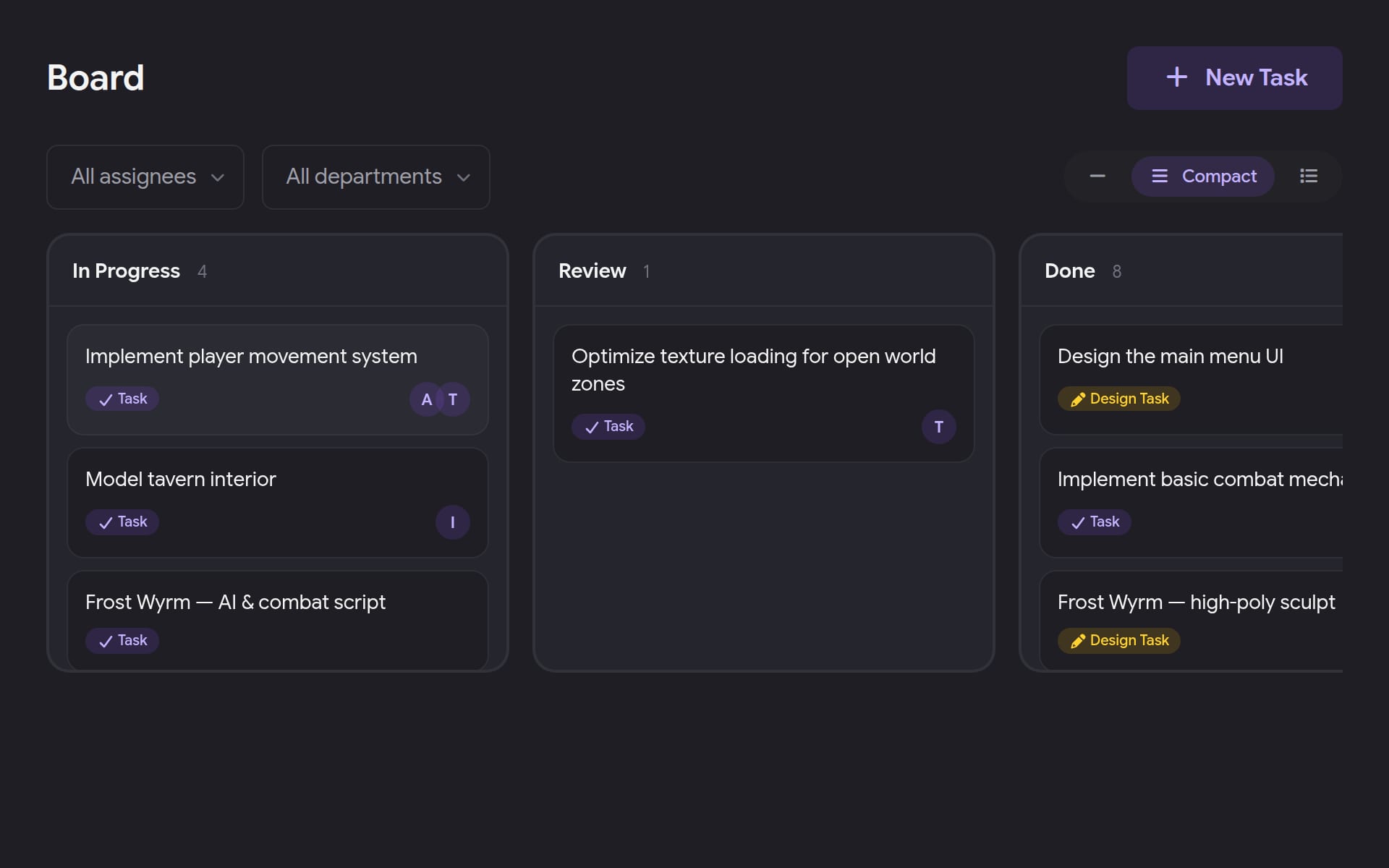
A board with the right amount of detail
Switch cards between Minimal, Compact, and Detailed in one click. Define your own statuses, drag cards across columns or move them from the keyboard, and filter by assignee or department.
- Custom statuses per project
- Minimal, Compact, or Detailed cards
- Filter by assignee and department
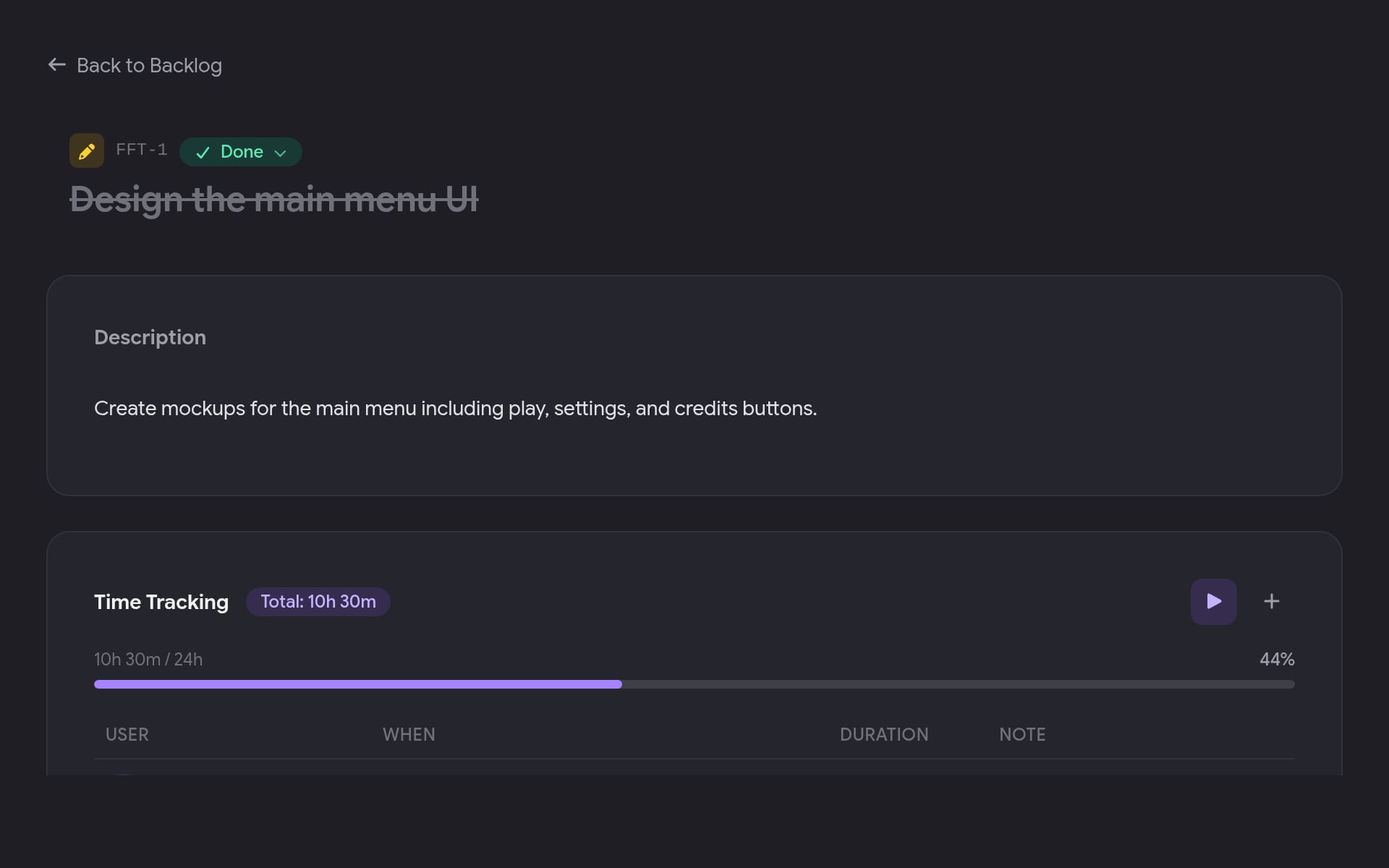
Tasks carry what matters, and nothing you didn't ask for
Types, priorities, estimates, and assignees when you want them. Break a feature into subtasks, discuss it in comments with @mentions, and see a full history of what changed.
- Subtasks and dependencies
- Comments with mentions
- Activity history per task
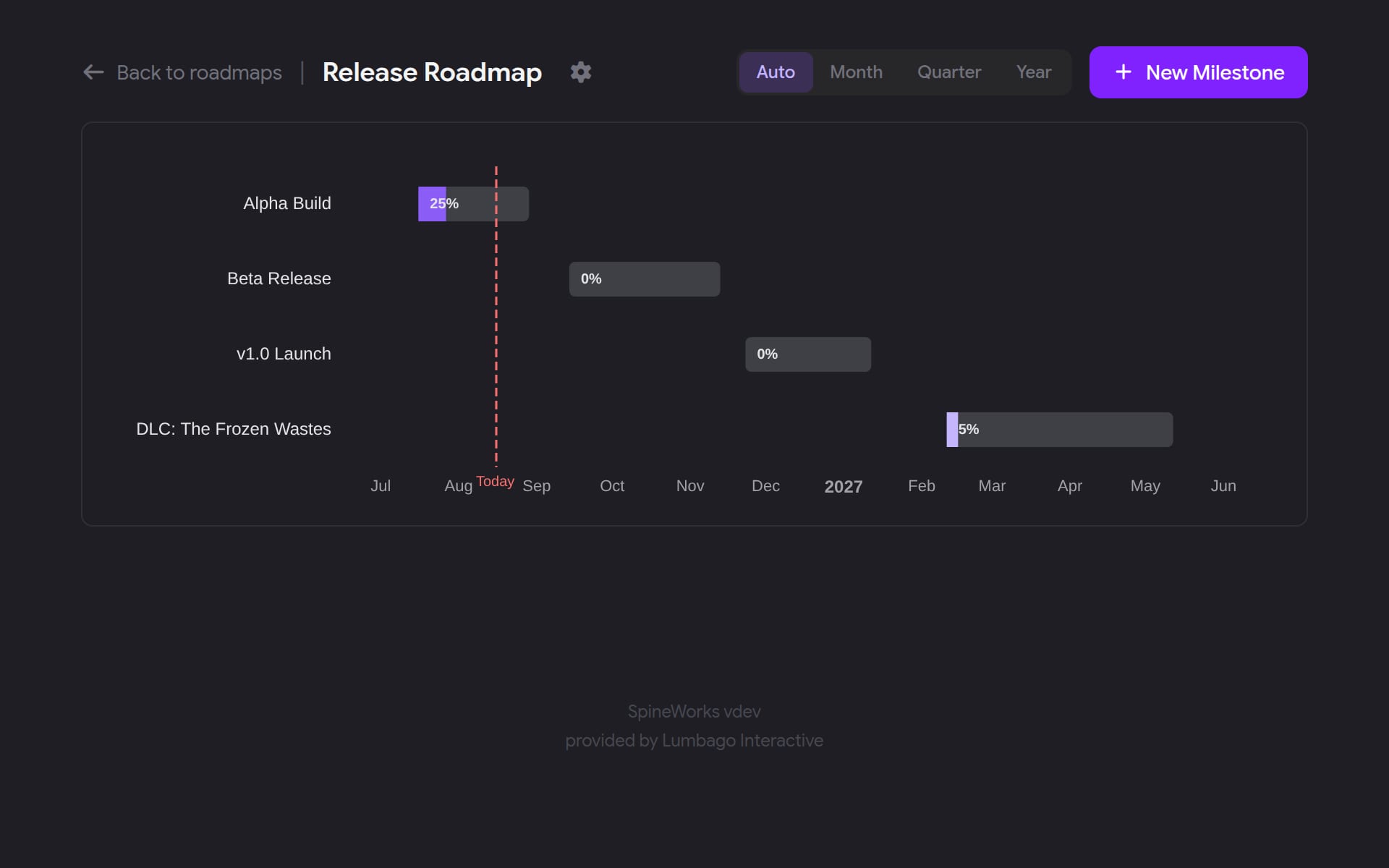
Milestones on a real timeline
Lay Alpha, Beta, and 1.0 across the calendar. Zoom from auto to month, quarter, or year, watch progress fill per milestone, and a red Today line shows where you actually are.
- Auto, month, quarter, year zoom
- Progress per milestone
- Milestone dependencies
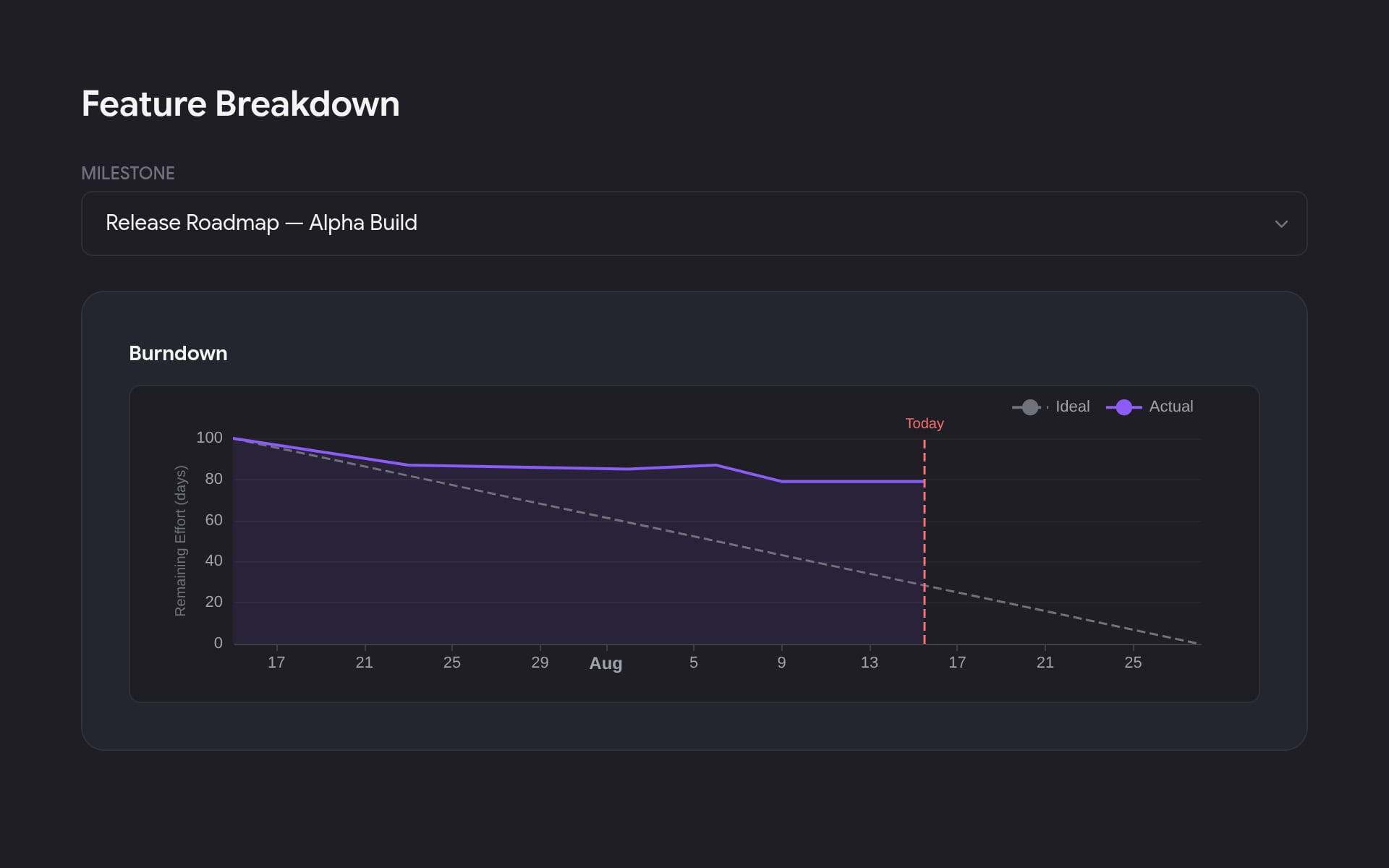
Every task in a milestone, with the numbers
Pick a milestone and see each task underneath: progress, estimated hours, tracked hours, and whether you're over or under. A burndown sits right above the table.
- Estimated vs. tracked hours
- Per-task progress
- Burndown on the same page
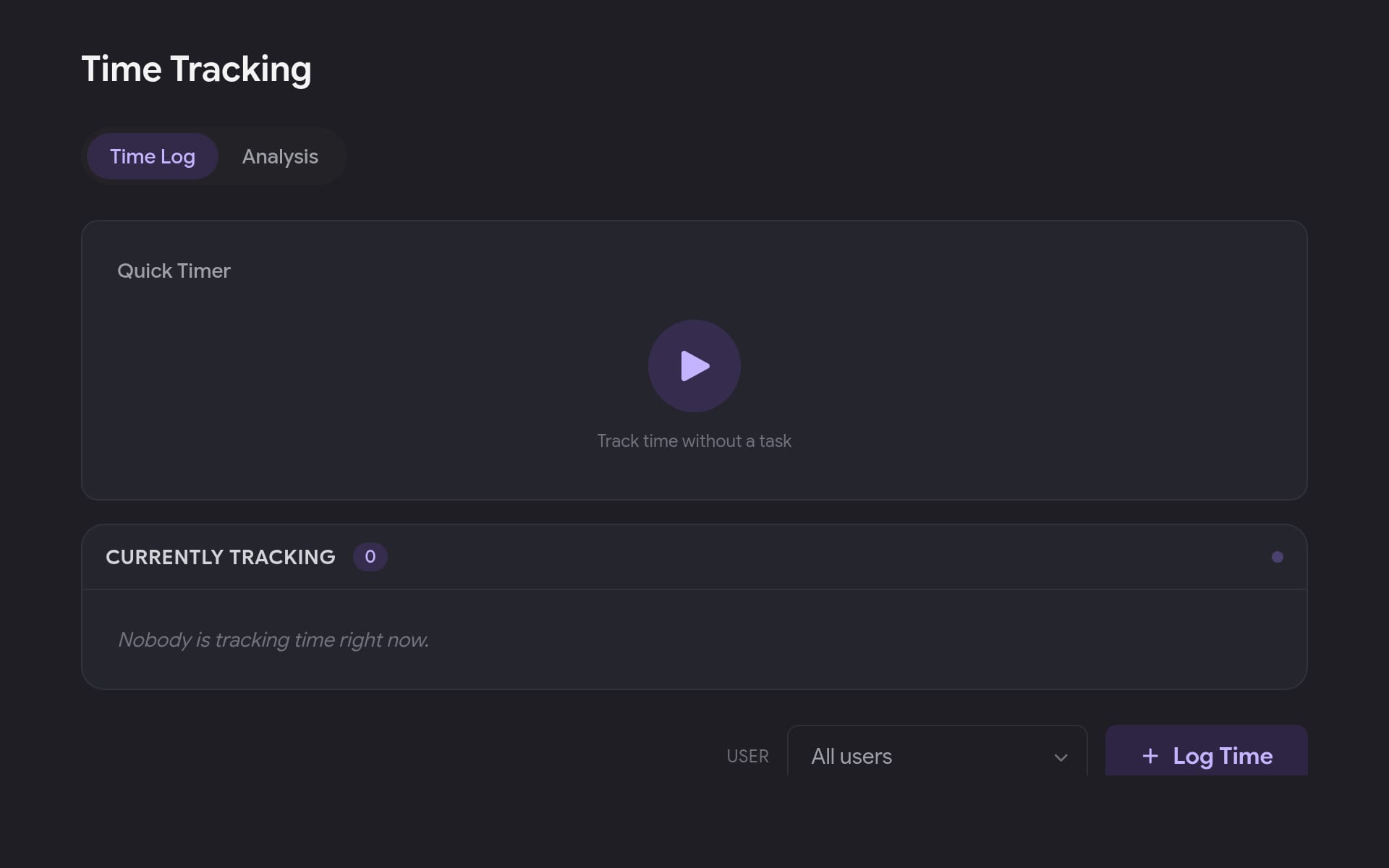
Time tracking next to the work
Start a live timer on a task or log time by hand. Filter by person, add a note to any entry, and the same numbers feed straight back into your milestone burndown.
- Live timer or manual entry
- Per-user filter and totals
- Feeds milestone metrics
Almost everything here is optional. Turn task types, estimates, priorities, departments, roadmaps, and time tracking on per project, and use roles to decide who can do what.
Plan your next milestone with less overhead.
Free while in beta.